
Abspielen
- 26 Röhren von C2 bis G5 in den bekannten Boomwhacker-Farben, auch Halbtöne
- Tempo, Metronom und Einzähler
- Schleife und Wiederholungen: «Wiederhole … mal ab Takt … von Takt …»
- Spuren einzeln ein- und ausschalten
- Tonumfang wählen, auf Handys nur die benutzten Töne
- Notennamen passend zur Sprache (C D E … / Do Ré Mi …)
Lecture
- 26 tubes de C2 à G5 dans les couleurs connues des boomwhackers, demi-tons compris
- Tempo, métronome et décompte
- Boucle et reprises : « Répéter … fois à la mesure … depuis la mesure … »
- Activer ou désactiver chaque piste
- Choisir la tessiture ; sur téléphone, seulement les notes utilisées
- Noms des notes selon la langue (Do Ré Mi … / C D E …)
Riproduzione
- 26 tubi da C2 a G5 nei noti colori dei boomwhacker, semitoni compresi
- Tempo, metronomo e conteggio
- Ripetizione e ritornelli: «Ripeti … volte alla battuta … dalla battuta …»
- Attivare o disattivare ogni traccia
- Scegliere l’estensione; sullo smartphone solo le note usate
- Nomi delle note secondo la lingua (Do Re Mi … / C D E …)
Playback
- 26 tubes from C2 to G5 in the familiar Boomwhacker colors, including sharps and flats
- Tempo, metronome and count-in
- Loop and repeats: “Repeat … times at bar … from bar …”
- Switch individual tracks on and off
- Choose the range; on phones only the notes that are used
- Note names to match the language (C D E … / Do Re Mi …)
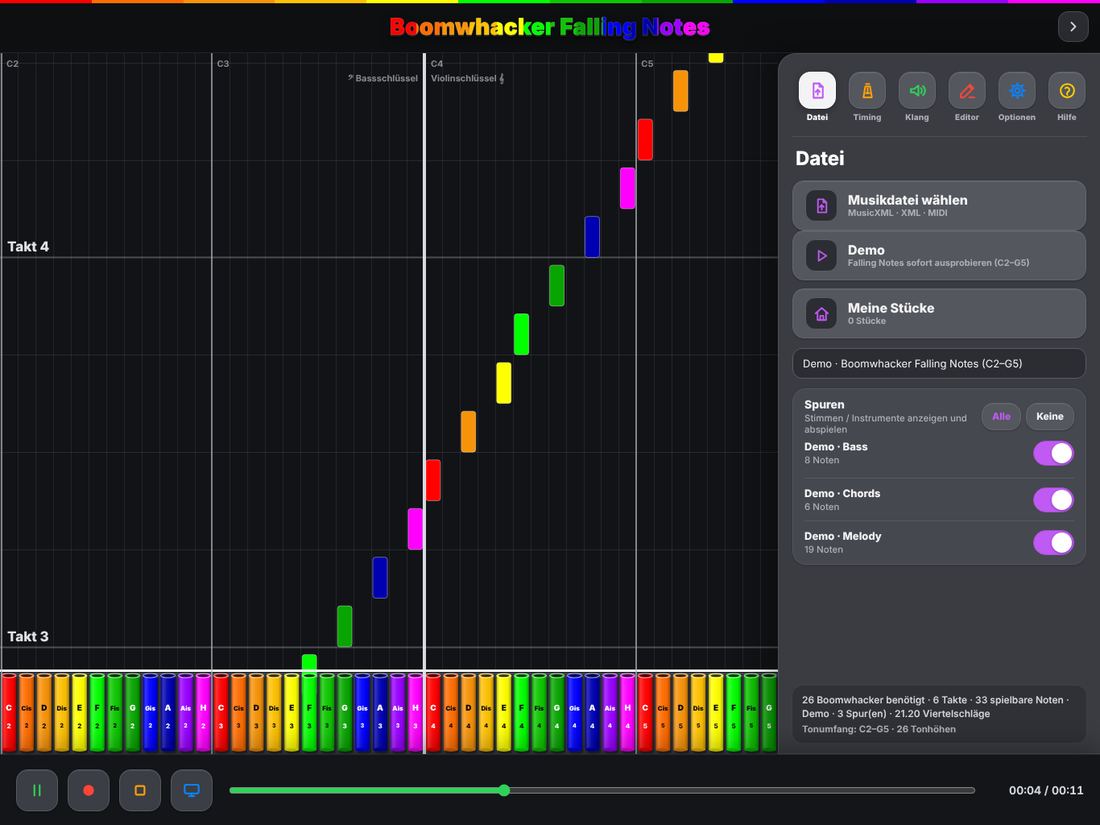
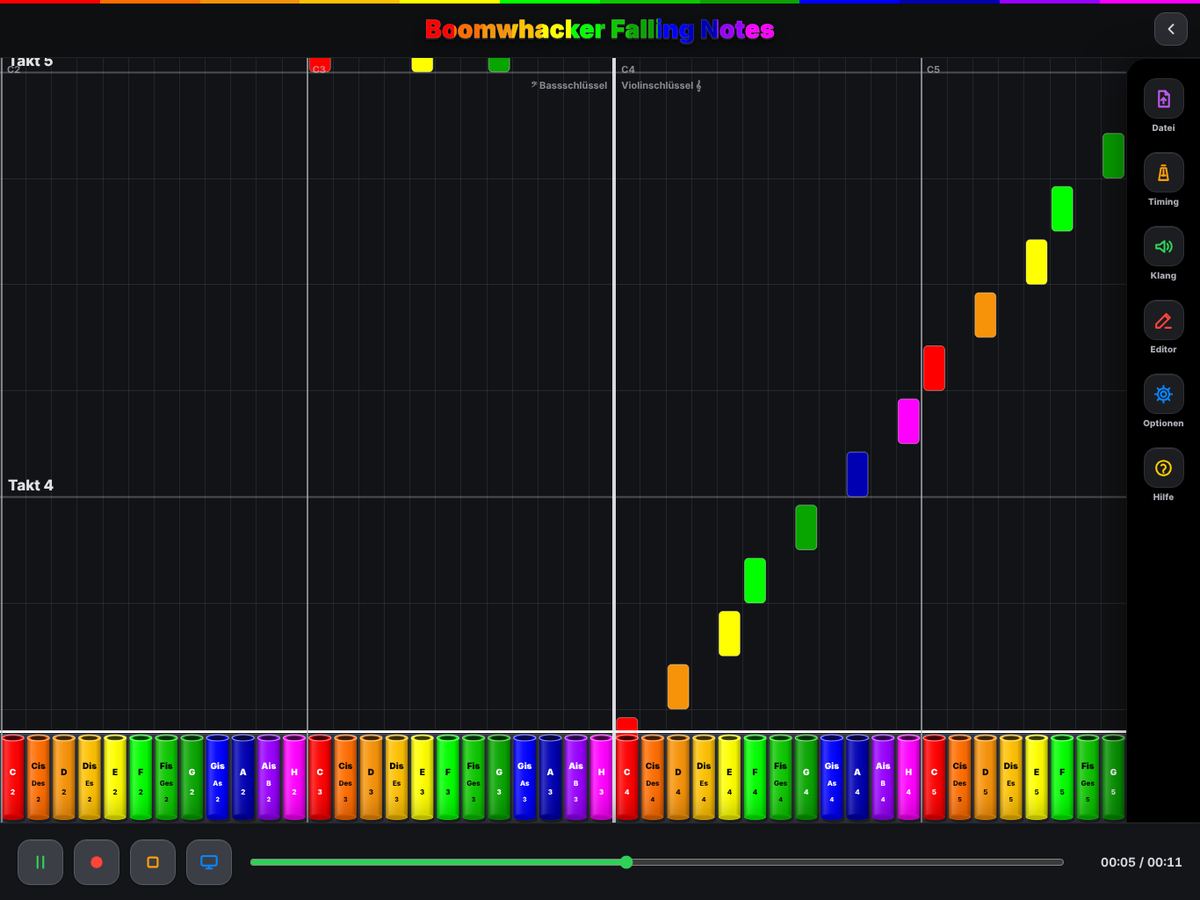
Zweiter Bildschirm
- iPad oder iPhone per Kabel oder AirPlay mit Beamer, Monitor oder Apple TV verbinden
- Schalter «Zweiter Bildschirm: nur Noten»: Die Klasse sieht nur die fallenden Noten
- Bedienfeld und Editor bleiben auf dem Gerät
- Ausgeschaltet wird der Bildschirm wie gewohnt gespiegelt
Deuxième écran
- Relier l’iPad ou l’iPhone au projecteur, au moniteur ou à l’Apple TV par câble ou AirPlay
- Option « Deuxième écran : notes seulement » : la classe ne voit que les notes qui tombent
- Le panneau de commande et l’éditeur restent sur l’appareil
- Désactivé, l’écran est dupliqué comme d’habitude
Secondo schermo
- Collegare l’iPad o l’iPhone al proiettore, al monitor o all’Apple TV via cavo o AirPlay
- Opzione «Secondo schermo: solo note»: la classe vede solo le note che cadono
- Pannello di controllo ed editor restano sul dispositivo
- Disattivato, lo schermo viene duplicato come di consueto
Second screen
- Connect the iPad or iPhone to a projector, monitor or Apple TV by cable or AirPlay
- “Second screen: notes only”: the class sees only the falling notes
- The control panel and the editor stay on your device
- Turned off, the screen is mirrored as usual
Editor (In-App-Kauf)
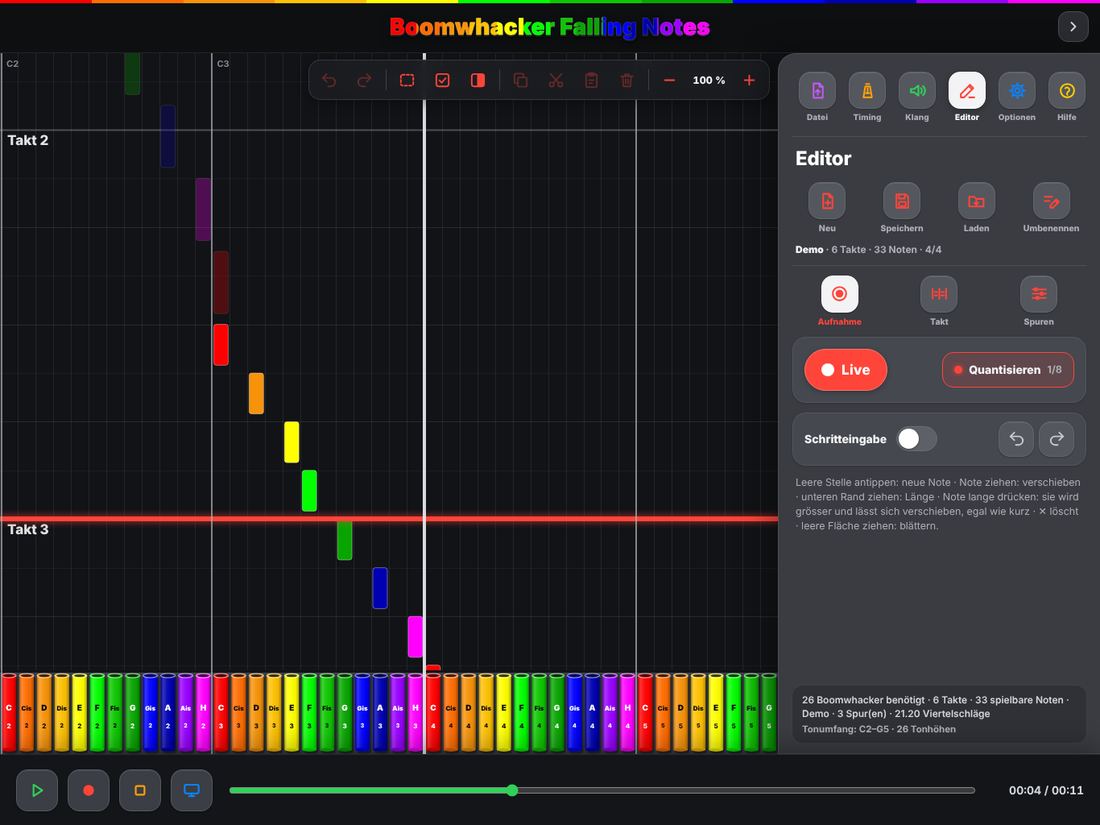
- Live aufnehmen: auf die Röhren tippen oder auf einem MIDI-Keyboard spielen (Kabel oder Bluetooth)
- Schritteingabe Note für Note, mit Raster, Quantisieren und Triolen
- Noten ziehen, verlängern, kopieren, ausschneiden und einfügen – auch mehrere mit dem Auswahlrahmen
- Apple Pencil mit Hover auf dem iPad
- Zoom, Rückgängig und Wiederholen
- Taktart, Takte und mehrere Spuren
- Speichern in «Meine Stücke», Export als MusicXML oder MIDI
- Einmaliger Kauf, mit «Käufe wiederherstellen» auf neuen Geräten
Éditeur (achat intégré)
- Enregistrer en direct : toucher les tubes ou jouer sur un clavier MIDI (câble ou Bluetooth)
- Saisie pas à pas, avec grille, quantification et triolets
- Déplacer, allonger, copier, couper et coller des notes – aussi plusieurs à la fois avec le cadre de sélection
- Apple Pencil avec survol sur l’iPad
- Zoom, annuler et rétablir
- Mesure, nombre de mesures et plusieurs pistes
- Enregistrer dans « Mes morceaux », exporter en MusicXML ou MIDI
- Achat unique, « Restaurer les achats » sur un nouvel appareil
Editor (acquisto in-app)
- Registrare dal vivo: toccare i tubi o suonare una tastiera MIDI (cavo o Bluetooth)
- Inserimento passo passo, con griglia, quantizzazione e terzine
- Spostare, allungare, copiare, tagliare e incollare note – anche più note con il riquadro di selezione
- Apple Pencil con hover sull’iPad
- Zoom, annulla e ripeti
- Indicazione di tempo, battute e più tracce
- Salvare in «I miei brani», esportare in MusicXML o MIDI
- Acquisto unico, «Ripristina acquisti» su un nuovo dispositivo
Editor (in-app purchase)
- Record live: tap the tubes or play a MIDI keyboard (cable or Bluetooth)
- Step input note by note, with grid, quantize and triplets
- Drag, lengthen, copy, cut and paste notes – several at once with the selection frame
- Apple Pencil with hover on iPad
- Zoom, undo and redo
- Time signature, bars and multiple tracks
- Save to “My pieces”, export as MusicXML or MIDI
- One-time purchase, “Restore purchases” on new devices
Ausserdem
- Deutsch, Französisch, Italienisch und Englisch
- Für iPad und iPhone, hoch und quer
- Keine Werbung, kein Konto, keine Datensammlung
- Eingebaute Hilfe mit Sprechblasen zu jedem Knopf
Et aussi
- Allemand, français, italien et anglais
- Pour iPad et iPhone, en portrait et en paysage
- Pas de publicité, pas de compte, aucune collecte de données
- Aide intégrée avec une bulle pour chaque bouton
Inoltre
- Tedesco, francese, italiano e inglese
- Per iPad e iPhone, in verticale e in orizzontale
- Nessuna pubblicità, nessun account, nessuna raccolta di dati
- Aiuto integrato con un fumetto per ogni pulsante
Also
- German, French, Italian and English
- For iPad and iPhone, portrait and landscape
- No ads, no account, no data collection
- Built-in help with a speech bubble for every button